 Nevermind
 macOS (Apple silicon)
 Windows
 Linux

A command palette that extends itself. Really.
Built once.
Fast every time.
Waiting for AI on every task gets old. Nevermind uses AI to write the tool, then runs the code directly.
Your extensions will be there with or without AI or an internet connection.
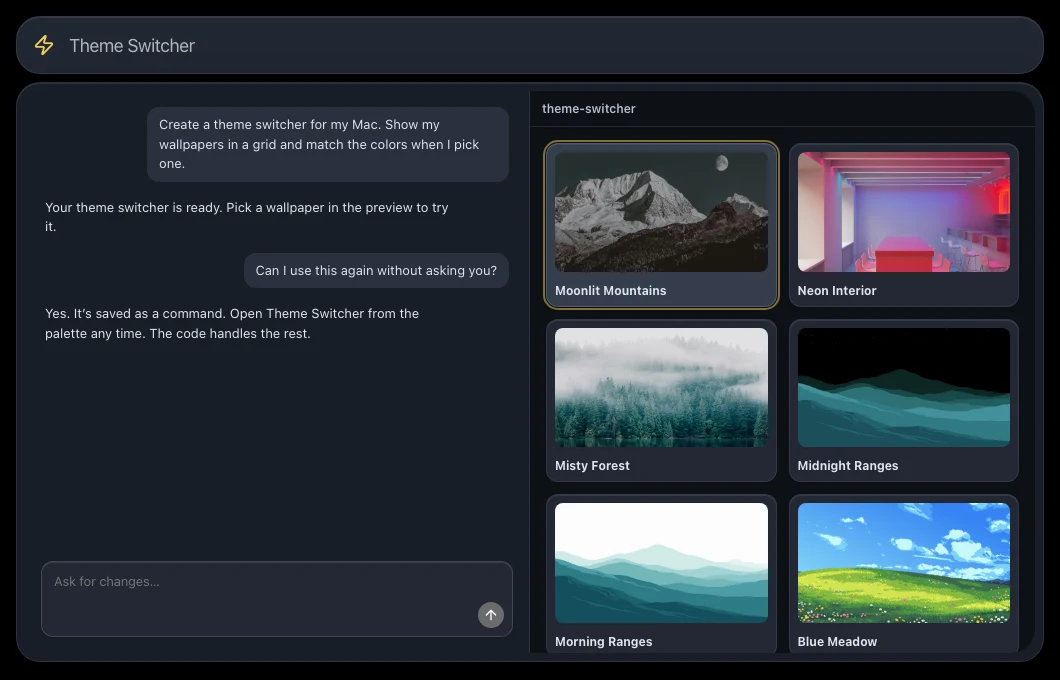
No AI? No problem.
A command palette with batteries included. Launch apps, find files, search your clipboard, and dictate.
Go ahead and try it
Your setup, in one file.
Settings, aliases, shortcuts, job switches, and the default AI model live in ~/.config/nevermind/config.json. Commit it, symlink it, or copy it to a new Mac.
A palette change counts as applied only after it is saved. Edit the file and Nevermind applies the change within a second.
- A broken or deleted file blocks saving. Palette changes show an error, and the file is left as you wrote it.
- Shortcuts and aliases for AI-generated extensions stay on this Mac, as do chats, clipboard history, recents, and extension data.
- A shortcut that another action or macOS already uses shows as Not active, with the reason, instead of failing silently.
{
  "version": 1,
  "settings": {
    "paletteHotkey": "Command+Alt+K",
    "showClipboardInRoot": false
  },
  "aliases": {
    "extension-action:my-tools:open-notes": ["notes", "journal"]
  },
  "shortcuts": {
    "extension-action:my-tools:open-notes": "Command+Shift+N",
    "extension-action:calendar:next-meeting": null
  },
  "jobs": {
    "enabled": { "cache.thumbnails": false }
  },
  "ai": {
    "defaultModel": "smart"
  }
}
null turns off a shortcut that an extension declares.
Almighty.
The power of dogfooding.
Whatever Nevermind can do, your extension can.
We use the same Extension API to build features in Nevermind. Add items to the main screen, create search results, use AI in your extensions. It’s all there.
const summary = await ctx.ai.ask(
  "Summarize this note: " + note
);Here’s a quick summary of your note.
Bring your own AI. Dotfiles ready.
AI is built in, with free monthly credits to build and chat.
You can also use your own coding agent. Point it at ~/.config/nevermind and build extensions with the included API. Just local TypeScript files, ready for your dotfiles.
└── extensions/
    ├── nevermind-extension-api.d.ts
    ├── package.json
    └── your-next-idea.ts
The API is already there. The sky is the limit.